Direct shortcut
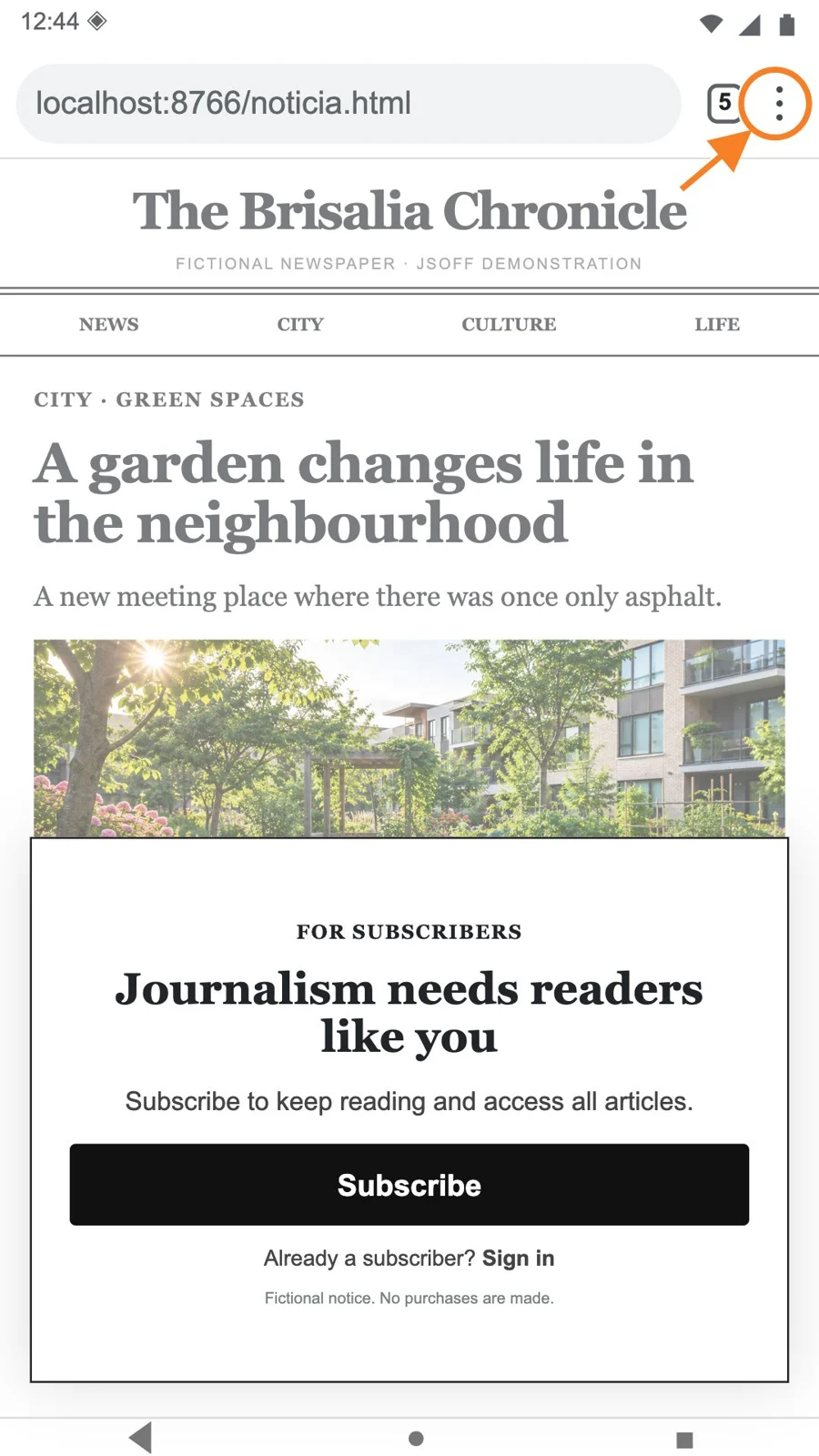
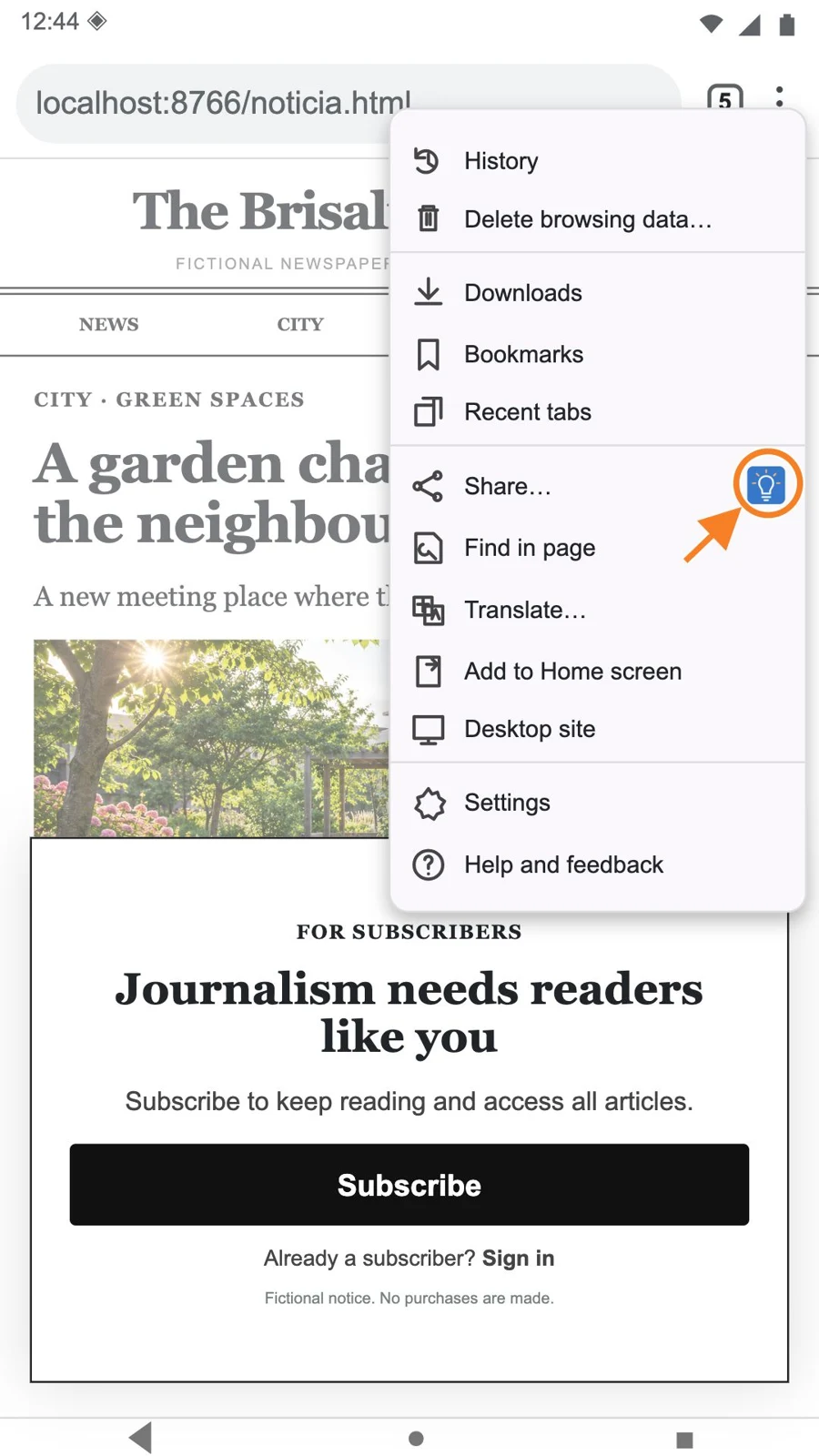
Three dots → JSOff light bulb. · 12 s


A simple Android browser: an address bar and a light bulb to enable or block JavaScript.
Get it free on Google Play ↗Android 10 or later · Optional Pro, one-time purchase

Enter an address or a search in the JSOff address bar.
Blue: JavaScript blocked. Orange: JavaScript enabled. Switching modes reloads the page.
Open options: bookmarks, find in page, appearance and Pro.
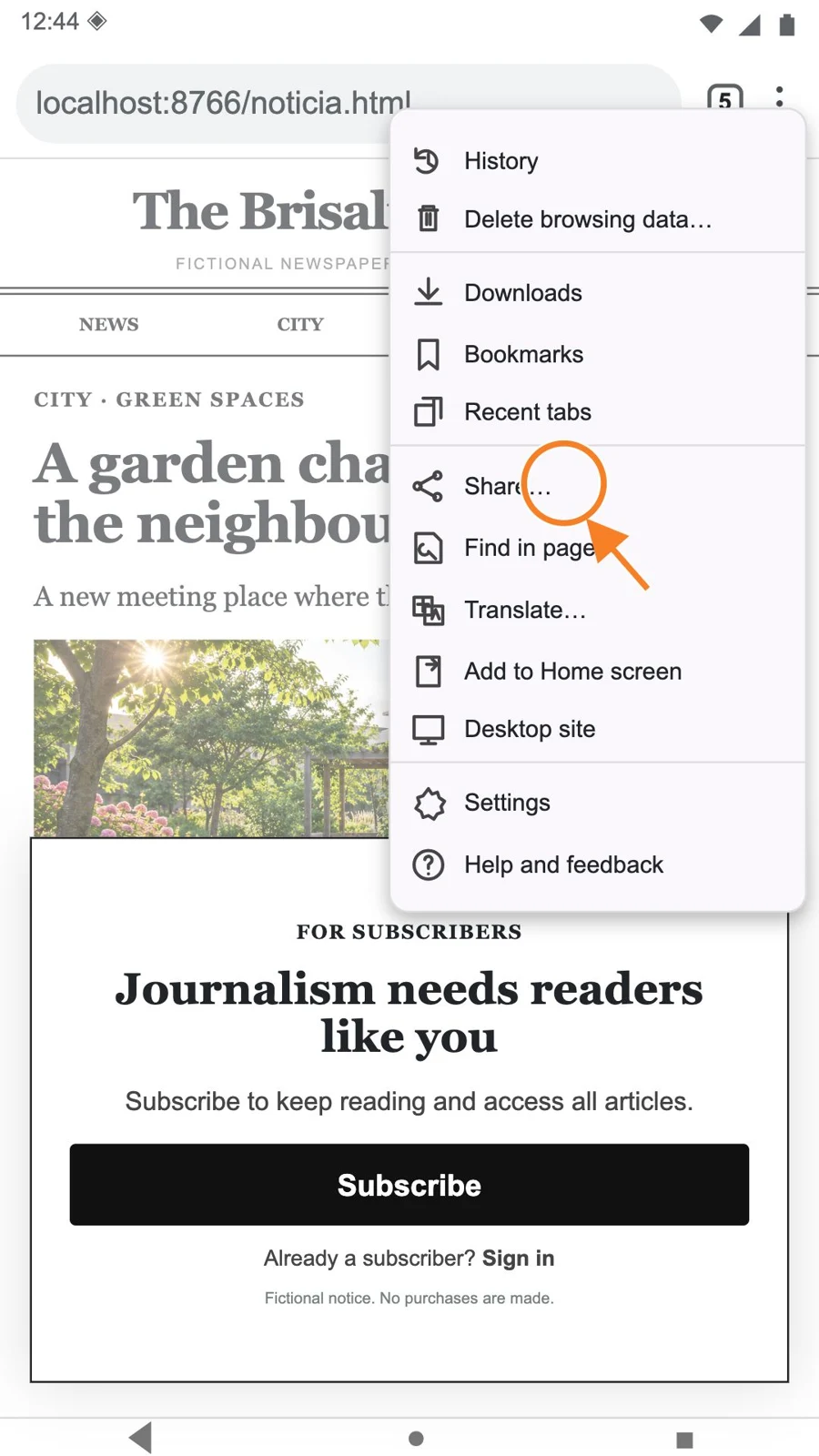
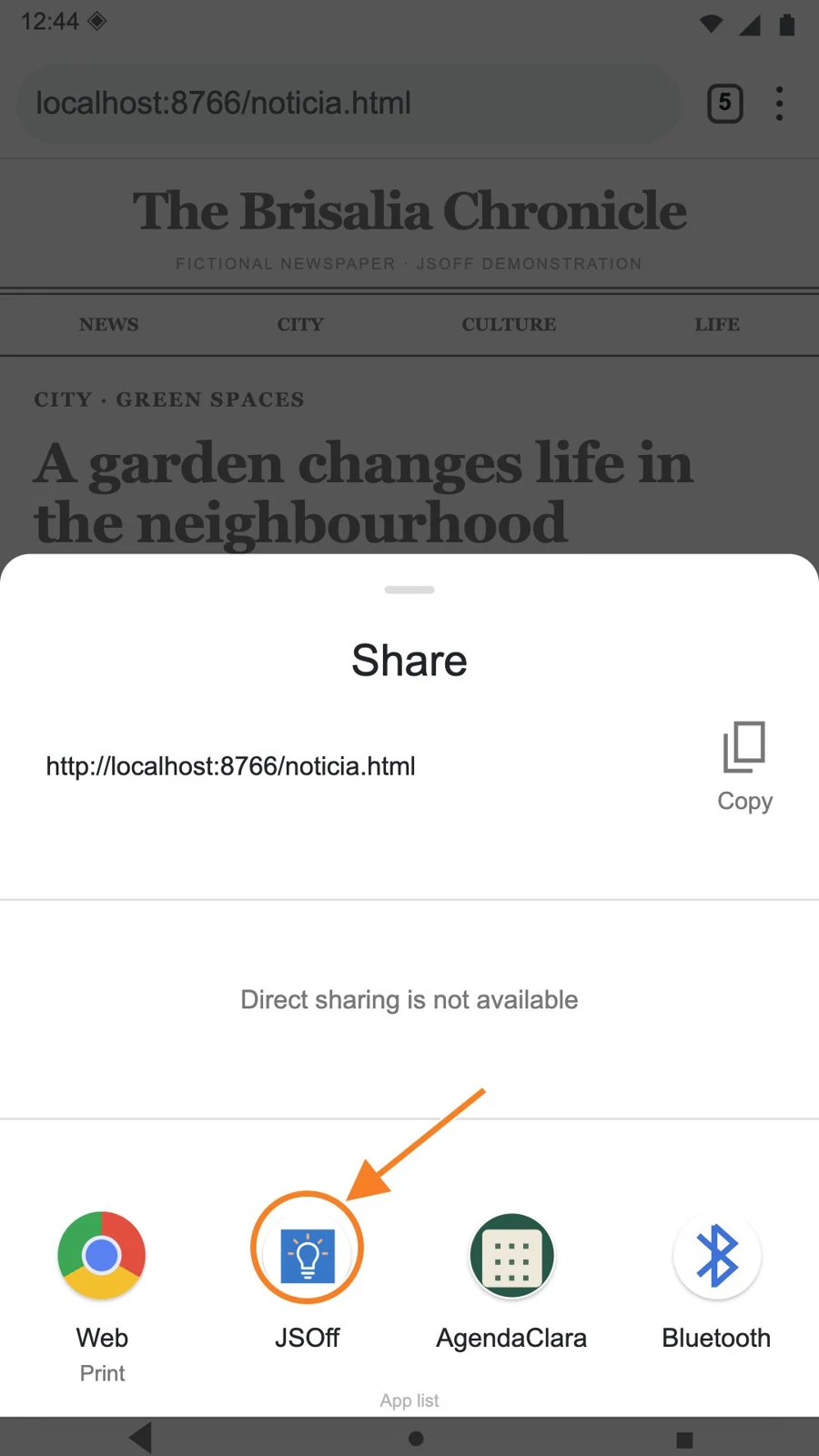
Open your browser’s three-dot menu. If the light bulb appears beside Share, use the shortcut; otherwise, open Share and select JSOff.
Three dots → JSOff light bulb. · 12 s
Three dots → Share → JSOff. · 16 s


The position of options and the JSOff shortcut may vary by browser and Android version.
One-time purchase on Google Play, no subscription. See the price in the app.
No. JSOff is independent and uses Android WebView. Sharing a page does not change your browser or transfer its session.
Scripts stop running. Some websites need JavaScript to work; enable it with the light bulb when needed.
No. Results depend on each site. It cannot guarantee bypassing restrictions or displaying content the server does not provide. It does not guarantee anonymity or erase cookies.
Illustrative scenes from a fictional newspaper. JSOff’s welcome page and privacy policy are available in twelve languages.